We may earn a commission from some links on this page.
Black Friday 3D printer deals deserve the same checks as any other purchase. A suitable feed path and room for the intended object matter more than a sale badge. These four selections span Creality and BIQU, with two from each brand. The links open complete-printer listings, including selected US-plug options for the BIQU pair. Stock and shipping still depend on the destination at checkout.
The Creality US store coupon appears beside its buttons. It is an ongoing offer during the shopping season, rather than evidence of a new seasonal price cut. BIQU links do not apply a coupon. A missing code does not decide whether that hardware suits the planned job.
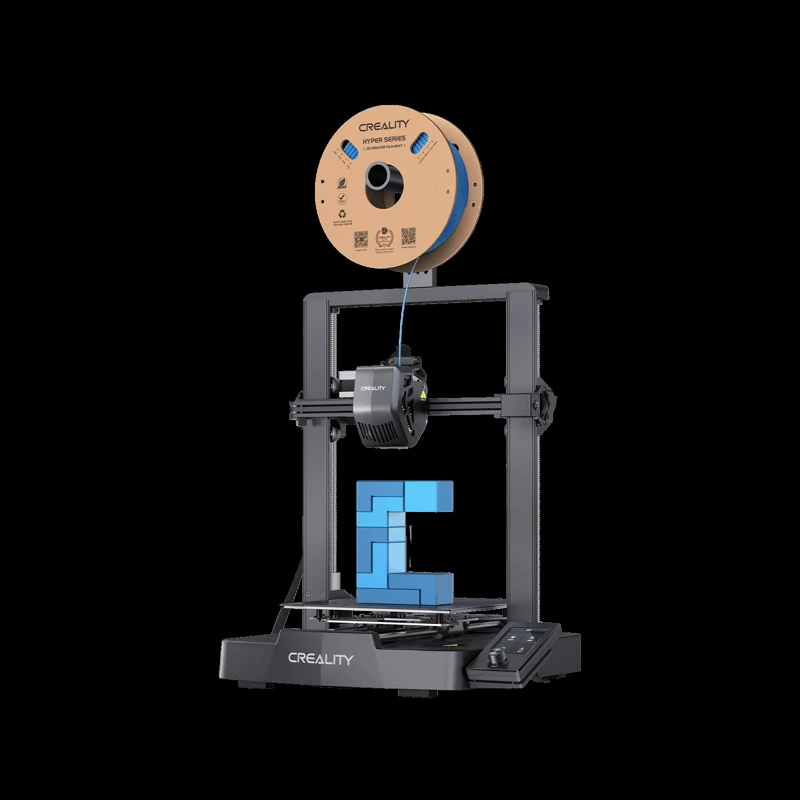
#1. Creality Ender-3 V3 SE
- Sprite direct extruder
- CR Touch bed leveling
- Automated Z offset
Keep in mind: No four-color feeder is included.
Manufacturer specifications and configuration
The SE suits someone who wants a single-spool setup with automatic Z offset. Creality lists a Sprite direct extruder and CR Touch, with strain sensors handling the height adjustment. It names PLA, PETG and flexible TPU as compatible. Match the selected spool to the maker's guidance before loading it. Use the spool instructions for temperature and the device guide for retraction.
Its maker-stated max printing speed is 250 mm/s. That ceiling does not predict how long a sliced file will run. A fine layer, curved surface and many short moves can change the estimate. Compare the same file and quality settings across candidates. Faster travel is useful only when the resulting object still meets the task.
The linked family listing also offers an option with a laser engraver. Select the SE itself when comparing the standard package. Optional gear in a photograph is not proof of what comes in the box. Save the selected order description before paying so that a later accessory search begins with the correct configuration.
This is the most straightforward entry route among our picks for someone prioritizing the listed direct extruder and automatic height setup. It does not include a four-color feeder. Anyone planning repeated spool changes should compare a dedicated combo separately, including the changer's own material restrictions. The base SE does not supply those additions.
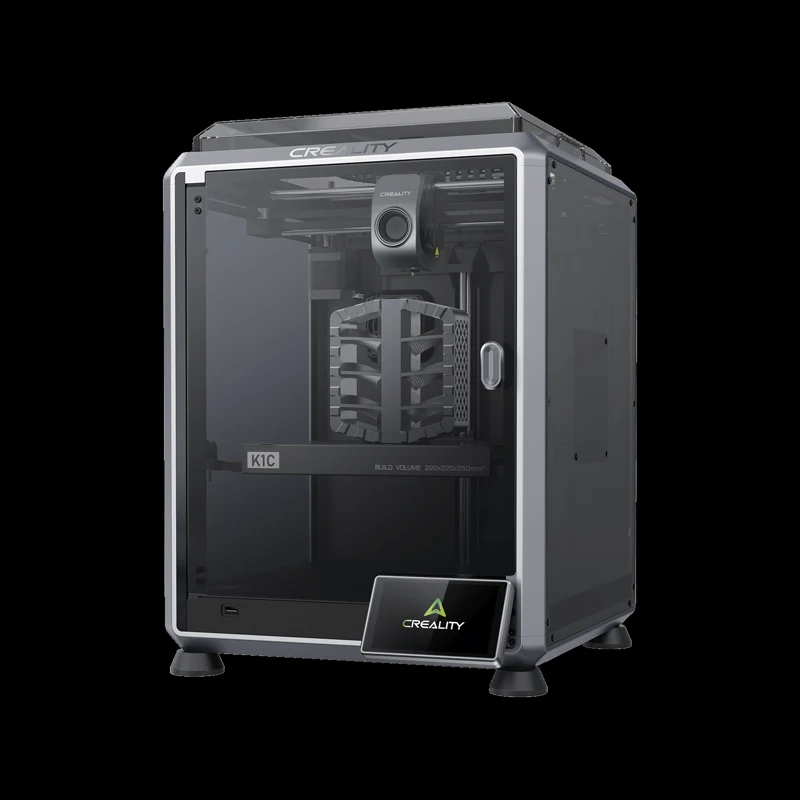
#2. Creality K1C
Creality K1C
Our verdict:
Carbon-filled plastics
Compare its listed carbon-filled plastics with the exact spool requirements.
Use coupon code VIPSALE5 for 5% off. Ends 31 Dec.
View Product Details - PLA-CF, PA-CF and PET-CF listed
- Up to 600 mm/s (maker limit)
- Camera in the feature list
Keep in mind: A named plastic alone does not settle its settings or room setup.
Manufacturer specifications and configuration
K1C is the option here for comparing the maker's listed carbon-filled plastics. Its page names PLA-CF, PA-CF and PET-CF alongside unfilled plastics. Begin with the exact spool's instructions, then match the hardware and settings to the device guide. A general compatibility list does not approve every blend sold under those names or settle the room conditions it requires.
Creality states a 600 mm/s maximum and includes a camera in its feature list. Those details help narrow a shortlist. They do not establish better finished prints or a measured completion rate. Use a consistent slice when comparing the advertised motion limits, and consider whether monitoring is useful for the intended workflow. Keep access for routine care in the bench plan.
Read the version carefully. The shop discusses a future CFS route for K1C 2025. That wording does not put a changer in every base K1C purchase. Keep an announced upgrade separate from equipment actually supplied with the order. A compatibility list also does not answer every ventilation question; follow the installation and spool documents for the chosen plastic.
The practical trade-off is extra compatibility checking. A buyer choosing only everyday PLA jobs should decide whether this feature set is worth the difference in delivered price. Someone comparing filled plastics has a more specific reason to inspect the listing. The Creality guide provides a separate route for readers comparing other packages within that brand.
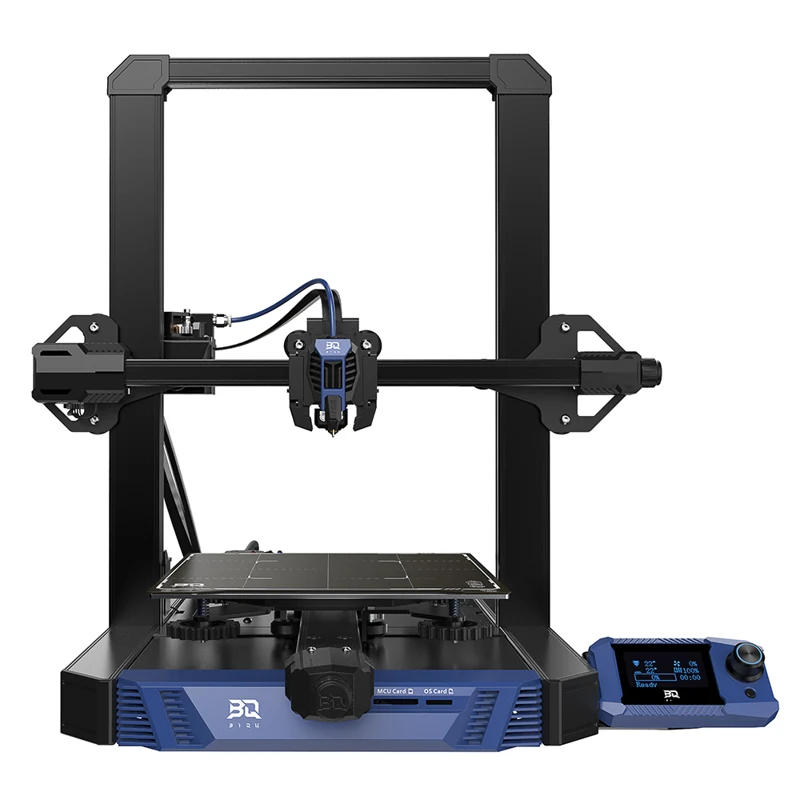
#3. BIQU Hurakan
- 220 x 220 x 270 mm bed volume
- Wi-Fi and USB drive printing
- MicroProbe bed leveling
Keep in mind: The US warehouse was unavailable at the source check; compare China shipping and the 110V option.
Manufacturer specifications and configuration
Hurakan suits a buyer who wants Klipper pre-installed rather than arranging its initial installation. BIQU describes control through Mainsail, including progress views and parameter changes over Wi-Fi. A USB drive provides an offline printing route. Follow the network setup instructions before assuming that a computer can control the device from another room or a different connection.
Its stated build volume is 220 x 220 x 270 mm. The maker lists a MicroProbe leveling sensor and a run-out sensor. These address bed setup and an interrupted spool supply; they are not a promise that every file will succeed. Test the sliced dimensions against the usable region, including supports and a brim, before relying on the nominal dimensions.
BIQU distinguishes its suggested speed of 60 mm/s from the firmware's default limit of 180 mm/s. Read each figure in its own context. A maximum in software is not an everyday target for every geometry. The standard nozzle diameter is 0.4 mm, so a thin feature also needs a suitable toolpath rather than just more room on the bed.
The selected option is China warehouse with a 110V US plug. The US warehouse option was unavailable at the source read. Compare the actual delivery quote and return arrangements for that selection. Do not carry a local-stock headline over to a cross-border order. This choice makes most sense when the firmware route matters enough to justify those purchasing checks.
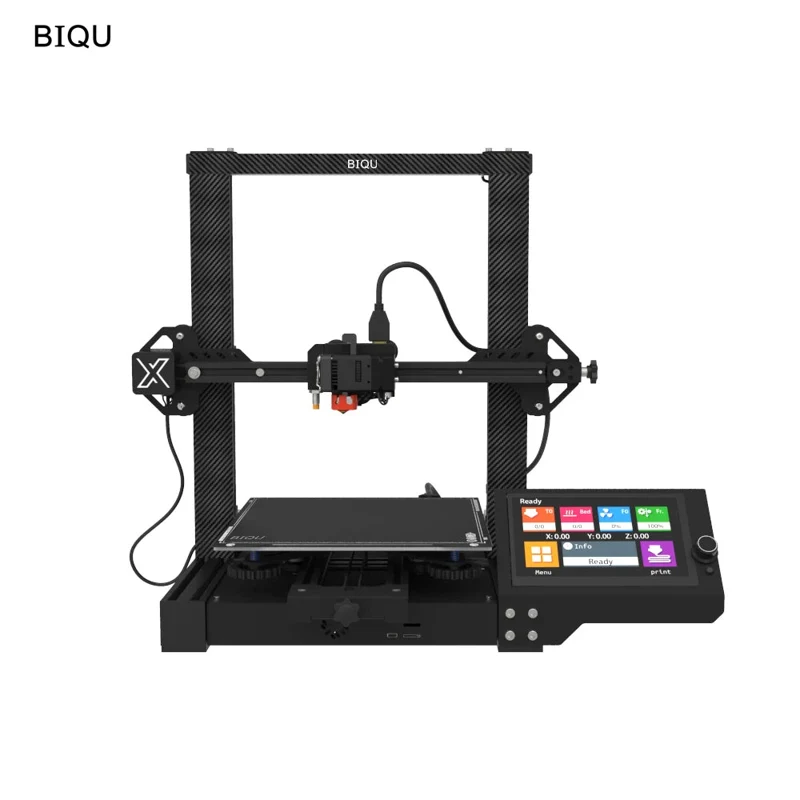
#4. BIQU BX
BIQU BX
Our verdict:
Wider direct-drive bed
Its 250 mm cube and H2 V2.0 direct extruder suit wider single-part jobs.
View Product Details - 250 x 250 x 250 mm bed volume
- H2 V2.0 direct extruder
- 7-inch touchscreen
Keep in mind: The selected US-plug option ships from China; the US warehouse was unavailable at the source check.
Manufacturer specifications and configuration
BX offers a stated 250 x 250 x 250 mm build volume with an H2 V2.0 direct extruder. BIQU also lists a seven-inch touchscreen and automatic leveling through a proximity sensor. Its bed is wider than Hurakan's listed 220 mm square, but its listed height is lower. Compare all axes of the intended object, rather than deciding from one large dimension.
The product documents list USB, a TF card and a data cable as connection methods. They also discuss Raspberry Pi expansion and OctoPrint support. Support for an expansion does not mean every related computer or module is supplied. Read the complete inventory before adding hardware for a remote workflow.
The listing gives 100 mm/s as a maximum and 60 mm/s as normal. Those maker figures use a distinct presentation from the faster limits on the Creality listings. They cannot establish a like-for-like finishing result. Slice the same part with comparable settings and inspect the estimate before treating a higher ceiling as an automatic advantage.
The link selects China warehouse and US Size/110V. Other plug choices are distinct options on the family page. Verify that the selected line survives checkout, especially after changing the shipping destination. The US warehouse was unavailable when read. This wider direct-drive option is therefore conditional on acceptable delivery terms, rather than a promise of immediate domestic dispatch.
Factors to consider when choosing Black Friday 3D printer deals
Filament printing or resin 3D printers
These are FDM choices: a heated tip deposits a spool-fed plastic in successive passes. Begin with an actual file, not a sale category. A tray, bracket or display stand presents a different task from a detailed miniature. Its size and finish requirements help decide which process deserves a closer look.
Resin 3D systems add a separate handling process, including wash and cure steps. Read the selected resin's documents and the equipment guide before deciding where it will be used. Supplies and post-processing belong in the initial plan. A low entry price for the unit alone cannot describe the whole setup or make that process interchangeable with filament.
Build volume, projects and working space
Consider an object that is 150 mm tall. Its full sliced height still includes any support beneath it. Likewise, a wide base may require a brim outside the design itself. Inspect the preview on every axis. Splitting a larger part introduces joins and finishing work; decide whether the joint suits the intended use before accepting that compromise.
Bench clearance is separate from build volume. Read the installation drawing for moving-bed travel, spool placement and cable access. Leave the clearances the maker requires. A footprint measured while switched off cannot settle how much room the operating setup requires. The installation guide also determines which assembly steps and tools should be ready before delivery.
PLA, PETG and the feed system
Match the spool's recommended settings to the exact hardware. A broad materials list does not override the label on a specialist blend. Keep profiles separate when moving between PLA and PETG. Follow the device guide when changing a hotend component, and allow the required cooling period before maintenance.
Trace the path from the reel to the extruder. A flexible spool that suits a direct extruder may not suit an external changer. For a combo, read both sets of documents. A four-color label describes a feed arrangement, rather than a guarantee that all plastics or all colors can be combined in any job.
Bundle contents, accessories and running costs
Write an inventory for the proposed bundle: base unit, supplied surface, feeder if any, and included consumables. Compare that inventory with the same configuration elsewhere. A free gift already owned may add little value. A combo containing equipment that will stay unused can be less useful than a simpler package with the required supplies chosen separately.
A budget of 500 for the entire setup leaves a different amount for the device than a printer-only ceiling. Filament, replacement parts and other startup items still have to fit. The site's 3D printing cost guide separates those expenses. Avoid treating its editable examples as a quote for an order.
Save the final price, not just the discount
Record the selected warehouse, plug, kit description and delivered total. Add destination tax and shipping where charged. Compare like for like after applying any accepted coupon. A crossed-out figure does not establish the lowest historical price. Nor does a code's end date establish stock or promise arrival by a particular day.
The ongoing Creality code is useful only if checkout accepts it for the intended order. The short coupon lines beside the relevant buttons provide the published amount and deadline. The guide keeps no claim that it combines with another promotion. Re-read the selected configuration after applying it; do not assume a redirected shop kept the original variant.
Bambu Lab mini, Anycubic Kobra X and Elegoo sale comparisons
Broader best 3D printers lists may include Bambu Lab mini packages, Anycubic Kobra X packages or Elegoo resin models. These are outside this linked shortlist. Apply the same comparison to each: intended output, usable dimensions, supplied kit and final total. A Pro, Ultra, Mono or Max suffix identifies a particular product; it is not a rating shared between brands.
Best fit for a home printing plan
Before a first purchase, save one intended print file and a list of its requirements. If several small parts must fit together, decide how their joints will be finished. A smooth outside surface and a hidden support mark are distinct goals. The slicer preview is the starting point for comparing those demands, rather than a substitute for a finished sample.
Give each candidate the same job description. Note whether the design is a display object, a jig or a replacement piece, then read the relevant material guidance. A nominal 200 mm dimension is easy to compare, but it cannot describe every shape. The useful question is whether the complete toolpath fits with the chosen orientation and support strategy.
Plan the next few jobs too. Three short decorative prints may favor a plain feed route; repeated spool changes call for a closer look at a combo. A setup that is right for one project can still be limited for another. Keep these priorities in writing so a last-minute bundle does not replace them. There is no need to buy optional hardware solely because it is already shown in a promotional image.
Jump from an older list to current deals
An October buying list can help discover candidates, but its order does not establish current availability. Open the relevant listing again and select the precise package. The best deal for a small display piece may be a poor choice for a big functional part. No entry is perfect for every job, so compare the task before the headline saving.
Frequently asked questions
When is Black Friday in 2026?
Black Friday is 27 November, with Cyber Monday on 30 November. Retailers may run a sale before either date. The Creality coupon here has its own December deadline. Its existence does not establish a special event price or guarantee that later seasonal pricing will be the same.
What should a beginner buy with a first 3D printer?
Read the supplied-items list and selected spool instructions before ordering supplies. Identify a suitable reel and a place to operate the equipment. Keep necessary items separate from optional upgrades. The beginner comparison helps narrow setup choices; the listing and manual settle what is actually included.
Are these tested recommendations?
This is a source-based comparison, using maker pages and product records read on 12 November. The recommendations match listed hardware to purchase requirements. They do not report hands-on trials, measured noise or finished-part results. Quoted motion ceilings remain maker statements, rather than results from this site.
Should a combo or the biggest discount decide the purchase?
Choose the intended object and process before a package label. A changer may suit repeated spool swaps, while a plain bracket may call for only one reel. Extra equipment adds its own compatibility questions. The goal is a suitable complete setup, rather than the largest advertised reduction.
For engraving flat blanks alongside printed parts, compare the laser engraver guide and its workspace requirements.