We may earn a commission from some links on this page.
A Black Friday laser engraver purchase starts with the job. A wooden tag calls for one set of checks. A coated tumbler or a transparent sheet calls for others.
These four picks cover Creality and Genmitsu, with two from each brand. The best choice fits the planned task. It must also fit the available workspace.
The Creality coupon appears beside its buttons. It is an ongoing store offer during the sale season. It does not prove a special seasonal price cut. The two SainSmart links select complete Genmitsu machines in USA variants. Stock and shipping terms can change before checkout.
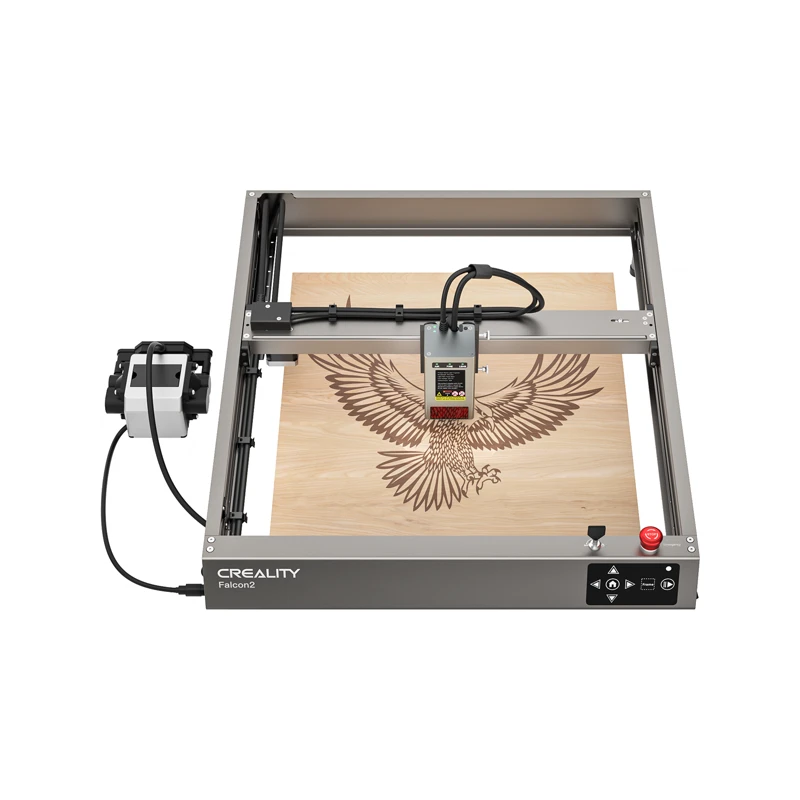
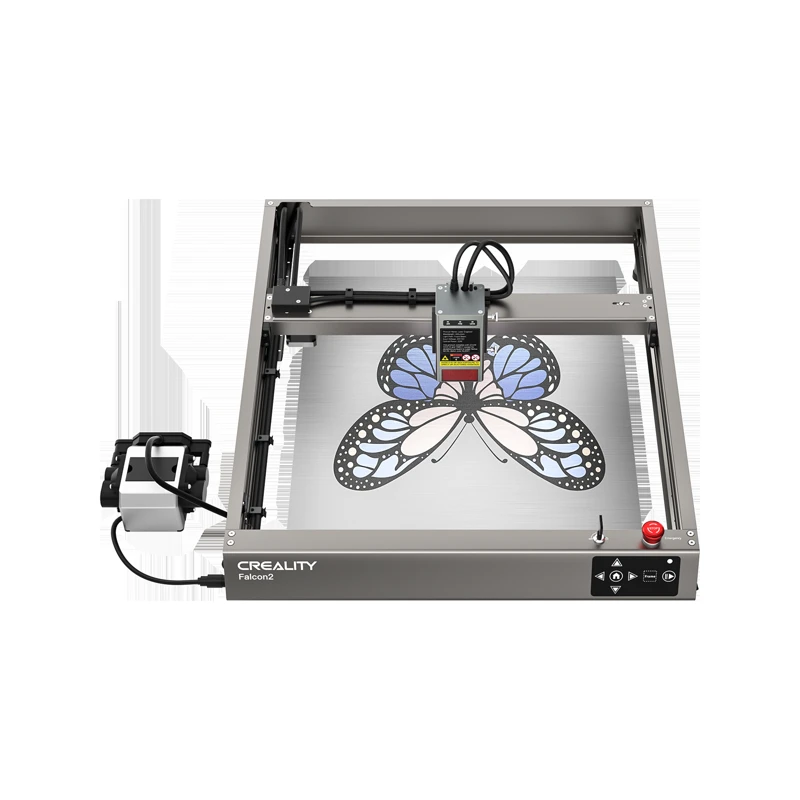
#1. Creality Falcon2 22W
- 22W optical output
- Integrated air assist
- LaserGRBL and LightBurn listed
Keep in mind: Check the installation instructions for operating protection and exhaust.
Manufacturer specifications and configuration
Falcon2 22W is the higher-output Creality choice in this list. Its maker's feed lists integrated air assist. It also names LaserGRBL and LightBurn, with offline use from a TF card. This is a separate workshop tool. It is not an add-on for a filament printer.
Creality lists an engraving speed of 25,000 mm/min. That figure is not a promise for a finished piece. The number of passes affects the job length. Settings and the artwork's shape matter too. Compare a small line drawing with a dense filled image.
Plan a controlled space for use. Follow the setup instructions for protection and exhaust. Airflow at the head does not replace a room exhaust plan. Keep those costs in the budget before choosing the complete setup.
Its main advantage over the 12W sibling is higher stated optical output. The trade-off is paying for more than small surface markings may require. Ask the maker for settings for the exact sheet. Its thickness and finish both matter. A broad claim cannot cover every coated or bonded sheet.
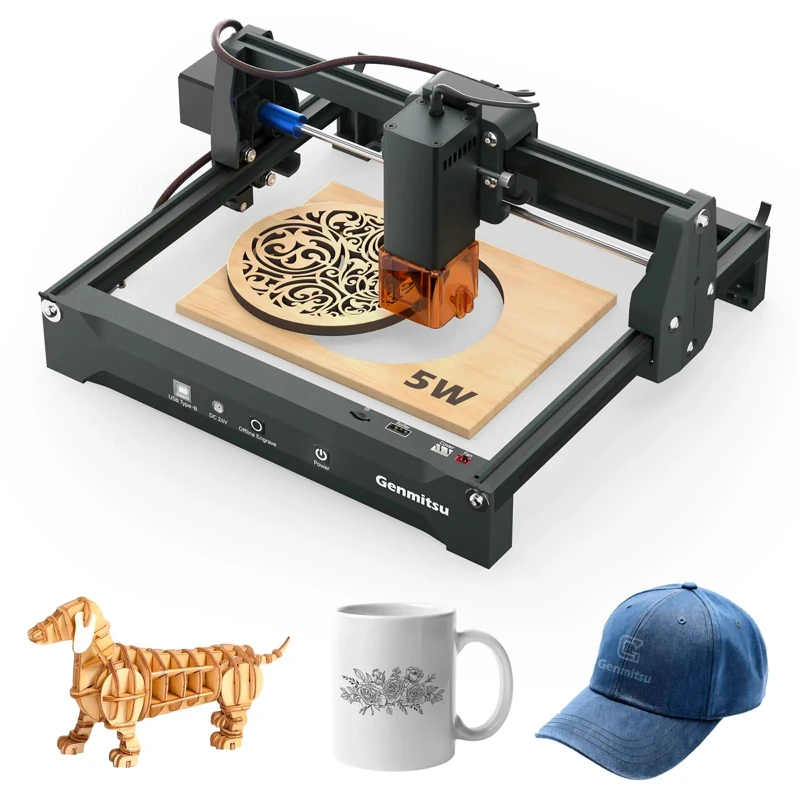
#2. Genmitsu Kortek 5W
- 200 x 150 mm working area
- Genmitsu app control
- Tilt stop and emergency switch
Keep in mind: The 5W USA selection is distinct from the 2.5W and 10W versions.
Manufacturer specifications and configuration
Kortek 5W suits hobbyists making smaller flat pieces. SainSmart lists a 200 x 150 mm working area and control through the Genmitsu app. The linked selection is the 5W USA version. The family page also contains lower and higher output options, so keep the chosen version in the saved order.
The maker describes tilt-stop protection and an emergency switch. Check what comes in the exact package. Read its setup documents too. A label on a family listing does not prove every protective part is included. The laser safety setup matters as much as the name on the box.
Its smaller footprint makes sense for blanks within that 200 x 150 mm area. Allow room for holders too. A blank can fit the bed but leave too little margin to secure it. Start with its actual outside size. Then check where the mark will go.
The useful distinction here is a small setup with app control. The limit is scale. A larger sign may need a different bed or a planned joint. Check the app's file types against the artwork already owned. A file library adds little if its formats do not fit the job.
#3. Creality Falcon2 12W
Creality Falcon2 12W
Our verdict:
Air-assist starting point
Compare the 12W model when integrated air assist matters more than higher output.
Use coupon code VIPSALE5 for 5% off. Ends 31 Dec.
View Product Details - 12W optical output
- Integrated air assist
- Three-step focusing
Keep in mind: The listed engraving rate does not predict finished-job completion.
Manufacturer specifications and configuration
Falcon2 12W provides another way to compare the Creality platform. The current feed lists a 12W head with integrated air assist. It also lists three-step focusing. Choose it for those setup features. It suits a comparison where higher output is not the main requirement.
Its maker lists a 0.06 x 0.08 mm spot. That figure describes the beam.
It is not a measured tolerance for every finished edge. Timber grain and focus affect the result. Follow the maker's setup steps on a small offcut first.
Include the required protection and stock holders in the comparison. Add the exhaust parts too. A photo of a honeycomb bed does not prove it comes in the selected package. Check the linked variant's parts list. That list is the reference for what ships.
Its advantage is keeping that airflow feature at lower output. Its drawback is the same care needed when checking any bare unit. Compare a specific task, not two headline wattages alone. An occasional label is one kind of job. A shop cutting batches of matching shapes has different demands.
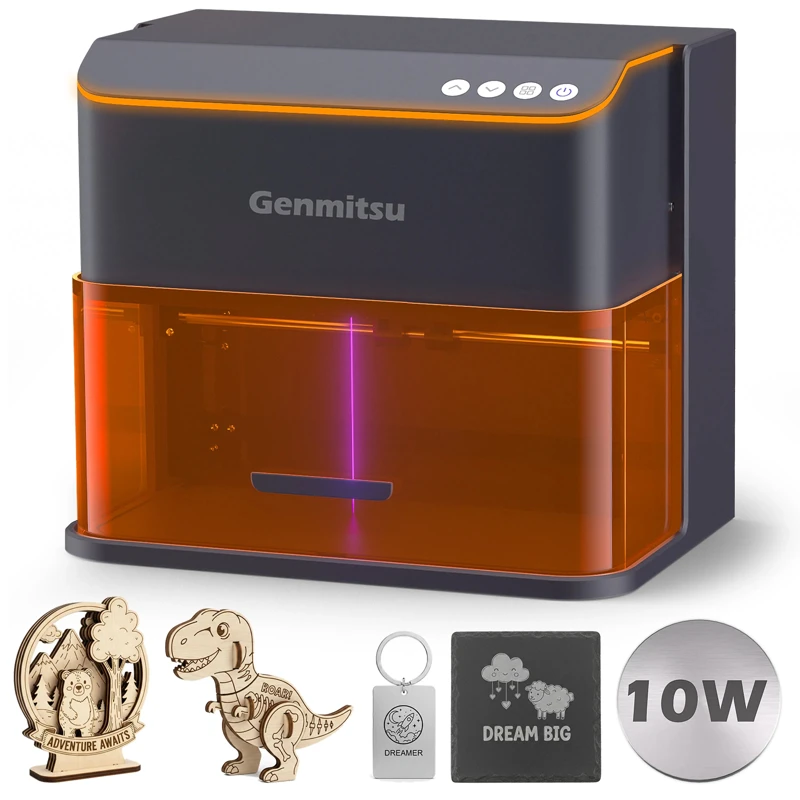
#4. Genmitsu Kintix 10W
- 200 x 100 mm working area
- Electric lift focusing
- Lid-open pause and emergency stop
Keep in mind: The elongated marking area is narrower than Kortek on its shorter axis.
Manufacturer specifications and configuration
Kintix 10W is the batch-marking option here. SainSmart describes a hybrid galvo setup. Mirrors steer the beam. An X-axis rail expands the usable region to 200 x 100 mm. This differs from moving the whole head around each line of the artwork.
The page lists electric lift focusing and a closed housing. It also lists lid-open pause and an emergency stop. It names Genmitsu APP and CutLabX.
The GRBL-based options are LightBurn and LaserGRBL. Check which route handles the intended files and device. A list of programs does not promise the same controls in each one.
SainSmart lists a maximum engraving speed of 90,000 mm/min. That claim belongs to this system. It is not a head-to-head result against the other picks.
The short axis is 100 mm, less than Kortek's 150 mm. Several small blanks might fit a batch layout. One wider object might not.
The benefit is repeat work within that long, narrow area. It offers different motion and electric focusing. The limit is fitting the job into the actual marking region.
Save a full-size layout before ordering holders or other accessories. The linked USA selection is the higher-output version. It is distinct from the 5W Kintix package.
Factors to consider when choosing the best laser engraver
Material first: diode, fiber or CO2 laser
Begin with the exact stock, its coating and its thickness. A diode laser may suit some wood tasks. A listing that also mentions marking metal does not make it a metal cutter.
Engraving a coating differs from removing the base stock. Request guidance for the specific blank. A broad materials list is not enough.
A fiber laser, a CO2 laser and an infrared attachment serve different tasks. Read their wavelength and compatibility documents. Clear acrylic needs a different check from an opaque sheet; a general acrylic claim is not enough. A MOPA label also describes a particular source arrangement, not a universal upgrade for all work.
Only process stock approved by both its supplier and the equipment maker. Unknown plastics and composite sheets need identification before use. The ability to create a visible mark says nothing about whether the process is suitable indoors. Match the installation and extraction plan to the chosen material.
Laser cutter output, precision and usable space
Compare optical output using the same definition across candidates. Electrical input is another number. Higher output alone does not establish finer detail, cleaner edges or a shorter job. The documented setup for the same sample is a more useful starting point.
Likewise, a quoted precision figure is not a guarantee of a completed part's dimensions. Test pieces, holders and an allowance for the cut path belong in the plan. A desktop tool must fit the bench with its required clearances, not just while switched off. Leave access to the controls and the loading opening.
Software, files and repeat business needs
Check the computer, operating system and file formats before ordering. An easy first setup still requires a usable path from artwork to the device. For small businesses, repeat positioning may matter more than a long list of effects. A saved layout helps compare that requirement across candidates.
Keep any paid software license separate from the hardware quote. A trial that ends after the holiday is not permanent access. Confirm how files move to the tool and if the chosen program supports the intended connection. Decide who will maintain those files if more than one person uses the workspace.
Black Friday deals, prices and package contents
Record the selected head, regional variant and supplied equipment. Compare the final delivered price for that same inventory. A sale percentage does not establish a lowest-ever figure. A gift can have little practical benefit if it duplicates equipment already owned or does not fit the selected unit.
The dated coupon lines beside the Creality buttons give the published discount and deadline. Check the accepted total before payment. No separate code is shown for Genmitsu. When browsing other brands such as xTool, apply the same inventory comparison rather than assuming similarly named bundles contain equivalent parts.
For a combined workshop, the site's 3D printer deals guide covers filament printers separately. A printer builds an object in layers; this tool removes or changes a surface. Neither replaces the other simply because both can make personalized objects.
Laser engraving details and accessories for a first order
Before placing an order, make a short list of materials and sample sizes. Add the required holders, replacement consumables and exhaust parts. Allow clearance around a compact machine's opening too. Budget for that full installation instead of treating the machine alone as the complete cost.
Turn craft ideas into a sample file before comparing machines. The same file can help reveal a size limit or an unsupported format early. For leather, identify the exact stock and read its processing guidance; a general category label cannot identify its treatment. Follow the equipment documents for handling heat and fumes.
The goal is to find a suitable setup that can grow with realistic tasks. A higher-output laser is useful only for jobs that call for it. A bigger bed is useful only if its additional space will be used. A clear inventory makes those decisions easier to check than a promise of perfect results.
FAQ
What is the best laser engraver to buy for a beginner?
Start with a known blank and a suitable operating space. Kortek has the smaller flat-work format here, while the other choices suit different capacity or motion requirements. Follow the exact model's instructions. The best beginner choice depends on those practical constraints, not the largest discount.
Can one machine engrave all materials?
No single compatibility claim covers all materials. The wavelength, finish and task matter. Marking coated metal differs from cutting through it, and an opaque sheet differs from a clear one. Check the maker's guidance for that exact stock and process.
Is an enclosed laser automatically safe for home use?
Read the manual for its class, interlocks and installation requirements. A cover alone does not settle ventilation, supervision or approved stock. Air assist near a cut and room exhaust perform different jobs. Plan both according to the manufacturer's directions before arranging the bench.
How long will an order take to arrive?
Use the destination-specific estimate at checkout. Warehouse stock, regional selection and the delivery address affect what the customer will receive. An early sale announcement cannot establish an arrival date for a later purchase. Save the confirmed shipping estimate with the selected configuration.
Only if a documented limitation blocks a planned job. Compare the current bed, output and file route with the proposed replacement. An extra feature that will stay unused does not justify the switch. Repair parts or a compatible accessory may address the actual problem at a lower total cost.