As an Amazon Associate, this website earns from qualifying purchases.
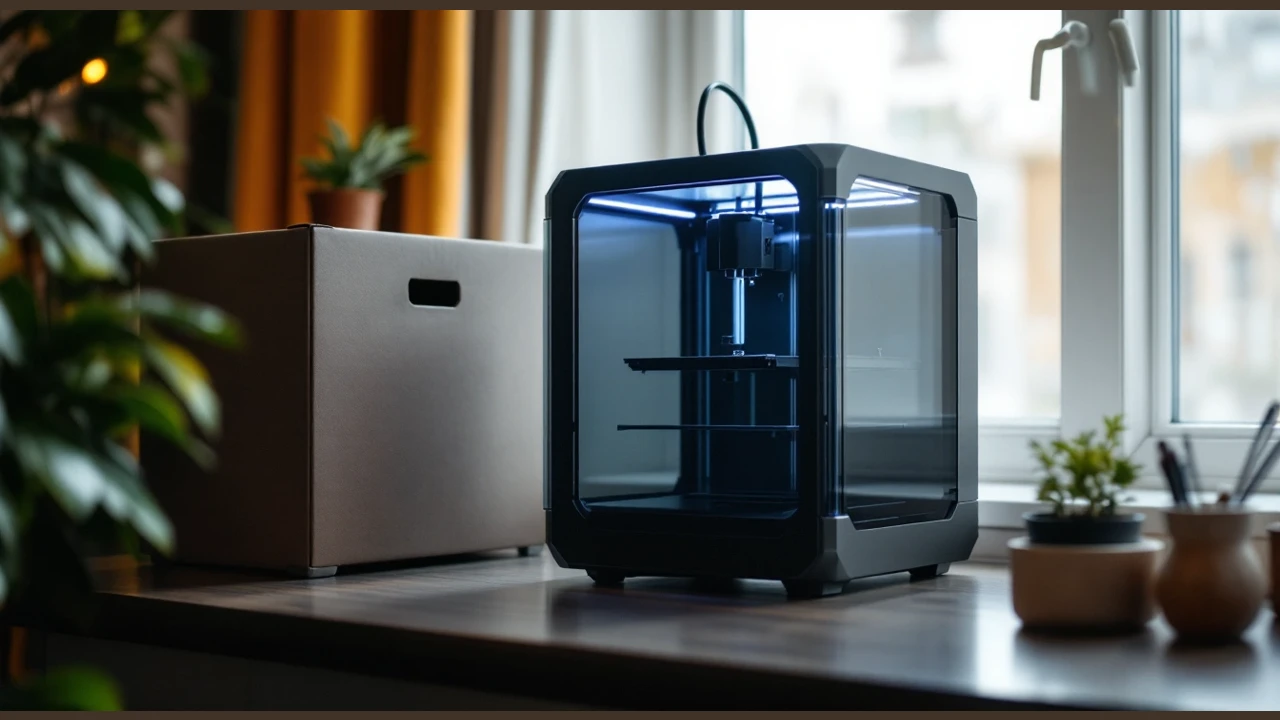
This Bambu Lab A1 3D printer review checks its documented features and limits. The stated build space is 256 by 256 by 256 mm. It also has automatic calibration. We have not tested the machine.
Bambu Lab A1 3D printer: documented features
Bambu Lab A1
Our verdict:
Automatic calibration
Consider the A1 for its stated build space and automatic bed setup. Check your material against Bambu's permitted list before choosing it.
View on Amazon - The specified build volume is 256 by 256 by 256 mm.
- Stock nozzle: 0.4 mm stainless steel.
- Calibration includes Z-offset and bed leveling.
Keep in mind: ABS, ASA, PC, PA, PET and carbon or glass fiber reinforced polymers are not recommended.
Active flow rate compensation adjusts extrusion. It uses readings to change the flow.
Controls and maintenance
There is a touchscreen. The nozzle has a quick-swap mount. Bambu also lists active motor noise cancellation.
Strengths
Automatic calibration includes Z-offset and bed leveling.
Bambu Lab A1 nozzle, bed and software
Scroll for more →
Other standard G-code slicers may lack some advanced features. Start with the maker's profile for this machine.
Who should consider it
Consider the A1 if you want its automatic Z-offset and bed-leveling steps. First check the part and material you want to use.
Who should choose another model
Bambu does not recommend ABS, ASA, PC, PA or PET for this model. It also does not recommend carbon or glass fiber reinforced polymers. Choose another printer if those are your main materials.
Accessory tips
A1 build volume and working space
Start with the model you want to make. Open it in the correct slicer profile. Check its pose and any supports or brim. The longest edge alone does not tell you if the whole job fits.
If you need to split the part, plan the seam before buying the machine. A display prop and a part that must carry a load need different checks. A neat joint is not proof of a strong one.
The frame's outer size and the build space mean different things. Leave room for the bed to move. Plan where to load a spool and reach the controls. You also need room to remove the plate.
Read the setup guide before putting the printer on a shelf. A desk that holds the feet may still be too small to use it. Draw the whole setup first.
Solo or Combo: check the exact package
Keep the exact package separate from the broad model name. A feeder shown with another bundle may not be in this box. Read the contents of the selected offer. Give any extra gear its own place in the setup plan.
Material and workspace decisions
Choose a spool that both the printer maker and the material maker permit. The strand's size is only the first check. Check the type of plastic and its feed path too. Use the right nozzle and plate for that job.
A heat limit is not a setting for an unknown spool. Start with the guide for the exact material. Save the printer and material profile with your project.
Plan routine care as well. Check how to clean the plate and remove a part. A nozzle opening of the same size does not prove that a whole hotend fits. Find the exact spare part before service. Follow the maker's steps to switch off and let it cool.
For a shared learning space, an adult should run the setup. Control access to moving and hot parts. Plan the room and material together. An app does not make a printer safe for a classroom. The adult still needs to supervise it.
A1 safety notices and support history
Bambu issued a heatbed-cable recall for earlier A1 machines. Read the official recall notice. Check the support record for the exact unit. A listing title alone cannot show if it was affected or fixed. Follow the maker's steps for a machine covered by that notice.
Alternatives and first supplies
Compare the A1 with the A1 mini to check the space your files need. Use the sliced job. A rough paper shape is only a starting point. If the mini meets the task, more build space may add little. If it does not, plan a larger machine or a way to join parts.
Our first-filament guide covers the checks before loading a spool. The slicer guide explains the file workflow. A model file and a ready-to-print file are different things. Use the cost worksheet to plan the rest of the setup. Keep supplies and room controls separate from the machine purchase.
How We Picked
We used the exact catalog listing and retained excerpts from the A1 technical sheet. We have not tested the machine. A maker's stated limit is not a measured print result.
The stock nozzle and material list shape our advice. We keep the selected package separate from optional gear. A seller's speed or noise claim is not our own test result. We also check the source of a safety notice before describing its scope.
Frequently asked questions
Can I use any filament with Bambu A1?
PLA, PETG, TPU and PVA are listed as ideal.
ABS, ASA, PC, PA, PET and carbon or glass fiber reinforced polymers are not recommended.
The specified filament diameter is 1.75 mm.
Verdict: Bambu Lab A1 3D printer review
Consider the A1 if your sliced job fits its stated build space. Check that Bambu permits your material. Its automatic calibration is a reason to consider it, but also check the exact bundle and room setup. Choose another model if your main plastic is on Bambu's not-recommended list.