As an Amazon Associate, this website earns from qualifying purchases.
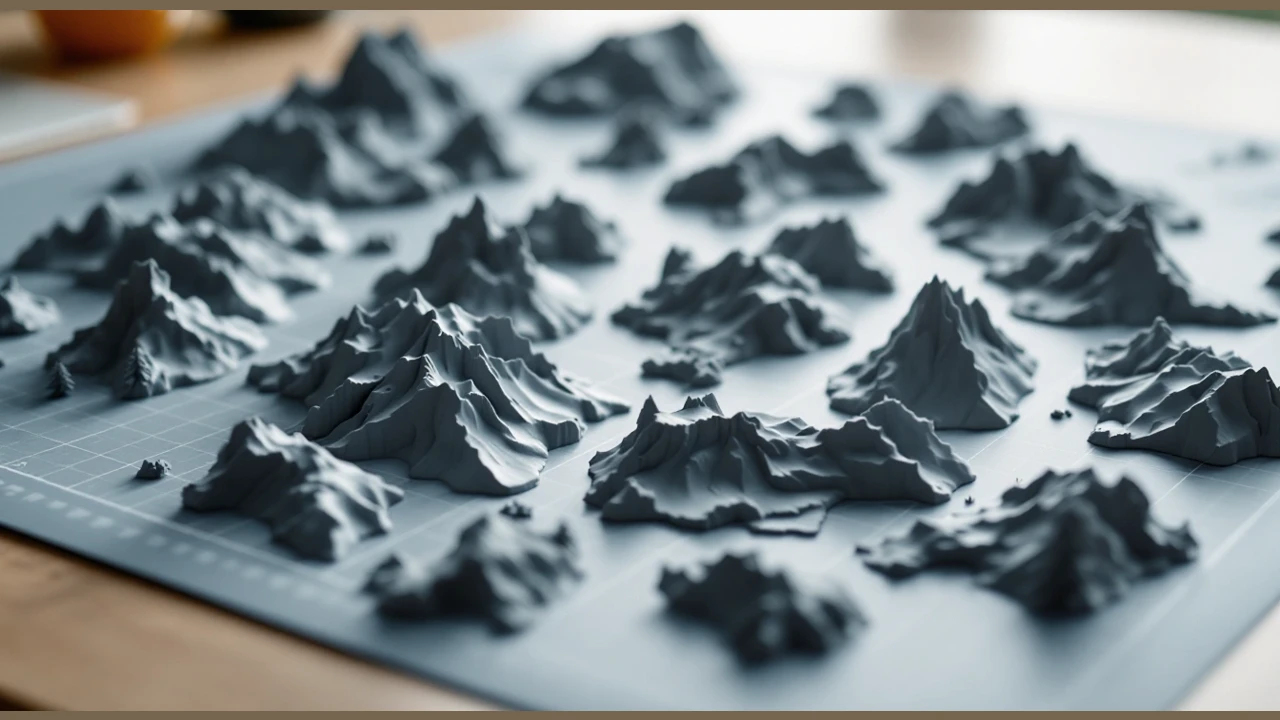
The best 3D printer for miniatures depends on the sculpt and the work you can complete after printing. A small figure and a large terrain section are different jobs. Check the detail the file needs, its full sliced size and the cleanup plan. Do not choose from a resolution label alone.
Plan the whole resin process before choosing either Mars model. Read the exact resin and wash-liquid safety sheets, and resolve the room and waste routes. Our resin workflow guide covers those stages. A cover or an automatic setup feature does not complete them.
#1. ELEGOO Mars 5 Ultra
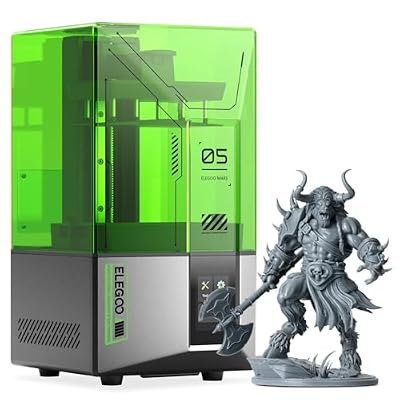
ELEGOO Mars 5 Ultra
Our verdict:
18 µm XY specification
Compare its stated XY specification and Wi-Fi route with a resin project you can fully wash and cure.
View on Amazon - Specified XY resolution is 18 × 18 µm.
- Build volume is 153.36 × 77.76 × 165 mm.
- Supports automatic leveling and Wi-Fi file transfer.
Keep in mind: The XY figure is a specification, not a tested miniature result. Plan the full resin process.
The Mars 5 Ultra lists 18 × 18 µm XY resolution and a 153.36 × 77.76 × 165 mm build volume. It also lists automatic leveling and Wi-Fi file transfer. Compare that file workflow with the way you plan to prepare and manage miniature jobs.
Its tilting tank is a documented release mechanism. We have not measured its effect on a sculpt or a batch of figures. Its camera and sensor features do not prove that every failed job will be detected. Keep the documented operator checks in the plan.
The stated build depth is smaller than the Mars 5's depth. Inspect the full supported layout before choosing a batch size. The listed outer size is not a clearance plan for lifting the cover or moving a wet part.
#2. ELEGOO Mars 5
ELEGOO Mars 5
Our verdict:
One-click automatic leveling
Compare its automatic setup and USB route when the supported resin job fits its stated dimensions.
View on Amazon - MSLA resin printing uses a 405 nm light source.
- Build volume is 143.43 × 89.6 × 150 mm.
- Includes automatic leveling and a preprint self-check.
Keep in mind: USB is the listed file route. Resin handling, washing and curing remain separate setup tasks.
The Mars 5 lists a 143.43 × 89.6 × 150 mm build volume. It uses MSLA resin printing with a 405 nm light source and a 4K monochrome LCD. Its width and height are smaller than the Ultra's, while its depth is greater.
Automatic leveling and a pre-print self-check are documented features. USB is the listed file-transfer route. Compare that local workflow with the Ultra's network features. A simpler file route may meet the task if you do not need network transfer.
The 4K label does not establish that a particular fine feature will survive printing and cleanup. Check the sculpt, material profile and support plan. The wash and cure stages still need their own equipment and instructions.
#3. Bambu Lab A1 mini with LED Lamp Kit
- Build volume is 180 × 180 × 180 mm.
- Automatic calibration is included.
- Uses 1.75 mm filament and a 0.4 mm stainless steel nozzle.
Keep in mind: A 0.4 mm nozzle and a fitting build cube do not establish the detail of a finished miniature.
This is a filament printer with a stated 180 mm build cube. Its stock nozzle is 0.4 mm stainless steel and it uses 1.75 mm filament. Automatic calibration is listed. PLA and PETG are among the maker's ideal materials.
Compare it for terrain sections or other pieces whose file and surface needs suit the chosen filament workflow. Check the smallest features in the sliced preview. A large enough build cube does not prove that thin tips or small raised marks will print as intended.
The exact offer includes a lamp kit. That extra does not establish miniature detail or remove cleanup work. Check the parts list for a lamp project separately. The printer's stated outer size also leaves operating access to be planned.
Factors to consider when choosing the best 3D printer for miniatures
Start with the final scale
Open a file you have permission to print and set its intended size. Check a known dimension before adjusting scale. A tiny preview may simply be zoomed out. Keep the relative sizes of parts that must fit together.
Inspect the features that matter to the model. A face, a thin blade and a flat terrain panel make different demands. Decide which surfaces will be visible and where supports can touch. Use the correct profile to inspect the whole job.
XY pixel pitch describes spacing across a resin screen. Layer height describes a setting along the build direction. A filament nozzle opening is another type of figure. Do not rank these unlike numbers as if each were the same measure of finished detail.
The file and the later process matter too. A fine modeled feature may need a different pose or support plan. We have not tested those results on these machines. Use relevant examples as a question to investigate, rather than treating marketing images as a result for your exact file.
Plan supports before painting
Look at contact points on the faces that will remain visible. Check how you will reach them during removal and cleanup. A pose that fits the machine may put contacts on a surface you want to preserve. Review the maker's guidance before changing the support plan.
Keep the intended coating in mind as well. Follow its surface-preparation and cure instructions for the chosen material. Do not assume that a coating will hide all marks without filling small features. Try the proposed finish on a spare piece before committing the full model.
Choose how terrain sections will join
Check the assembled size as well as each printed section. A split can let a larger terrain piece fit, but adds alignment and joining work. Place the seam where it can be reached and where the design permits it. Check any pins or bought hardware in the parts list.
Do not resize one mating section alone to fit the plate. Keep a consistent file version for the whole set. Save the slice and join plan together so a replacement piece uses the same intended dimensions. Review the material instructions for any glue or finish used later.
Include the full resin workflow
Check the resin maker's exact printer profile and safety sheet. Plan the path from wet part to wash and post-cure. Follow the named material's instructions, rather than borrowing a universal time from another resin. Check that each piece fits the whole process.
Separate the printer package from wash and cure supplies. Keep clean controls apart from wet handling, and confirm disposal for used liquid and contaminated items. A water-washable name or low odor does not settle that plan. Read the current material and process equipment guides before handling it.
How We Picked
We checked these three exact complete-printer offers for qualifying new US availability. We compared two distinct Mars resin models with one A1 mini filament bundle. We used supported build dimensions and the maker's material and setup guidance. Offers and package contents can change.
We have not printed miniature samples on these machines. We do not claim a measured detail winner or rank speed from a maximum figure. Each recommendation depends on the actual file and the full process. Check the current exact configuration and instructions before buying.
Verdict on the best 3D printer for miniatures
Choose the best 3D printer for miniatures around a file at its final scale. Compare the Mars 5 Ultra for its listed XY and network features, or the Mars 5 for automatic setup and USB. Compare the A1 mini for a suitable filament job. Include supports and all later finish work in the choice.