As an Amazon Associate, this website earns from qualifying purchases.
Choose 3D printing tools for beginners around the next task, not the largest piece count. Check the printer's packing list and what you already own. Then identify the gap. Part removal, edge cleanup and checking a dimension may need different tools.
Follow the exact printer and build-surface instructions before using a scraper or cleaning tool. A kit's broad compatibility label does not establish that every included edge is suitable for your plate or nozzle. Keep hands outside the blade path and follow the maker's cooling and removal steps.
- Removal scrapers and metal files listed.
- Swivel-head deburring tool and hand drill listed.
- Cleaning needles, brushes and tweezers listed.
Keep in mind: Kit inclusion does not establish compatibility with every build surface or nozzle; follow their exact care instructions.
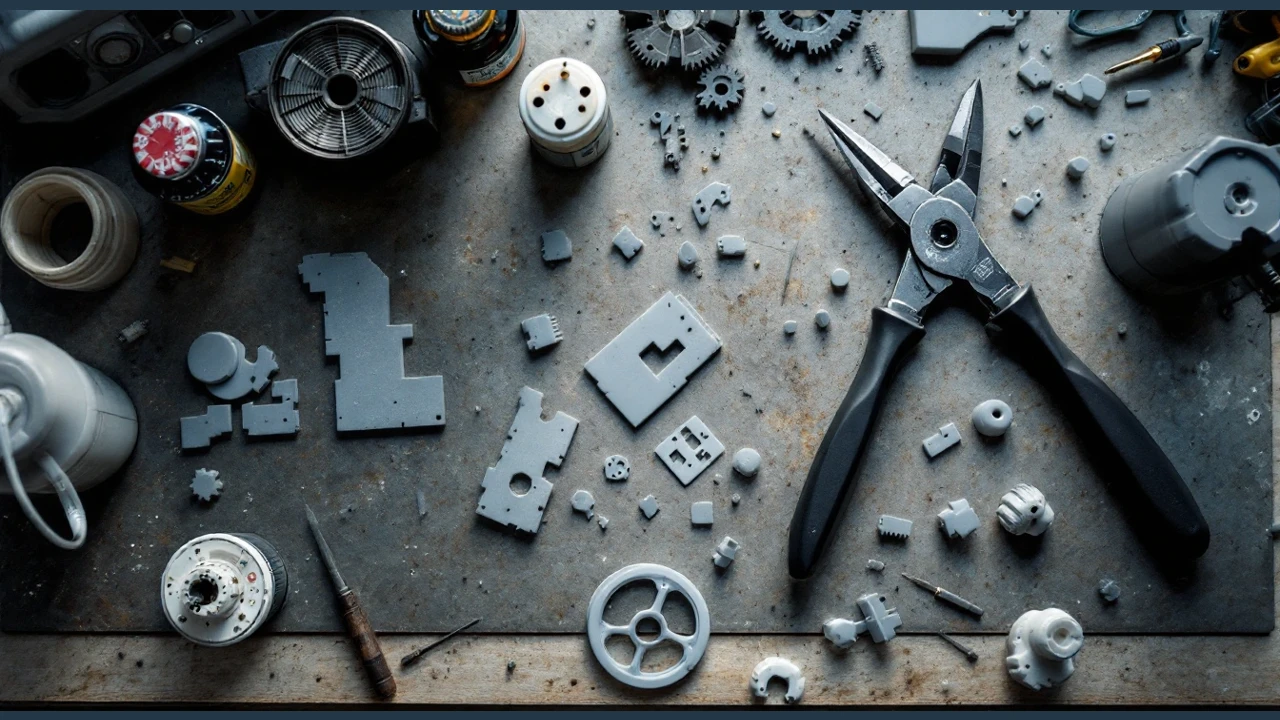
This kit lists scrapers, files and a swivel-head deburring tool. It also lists a hand drill and nozzle-cleaning supplies. Compare it when several of those tasks are on your current project list. Spare blades contribute to a piece count; a larger number does not mean that each piece serves a different task.
The listed cleaning tools include needles and brushes. Their presence does not establish a suitable cleaning procedure for every nozzle. Check the exact nozzle maker's method and the complete hotend identity first. Do not choose a cleaning needle from filament diameter alone.
The kit also lists a small flat-blade scraper. Check whether the plate maker permits that edge before using it. Tool storage can help keep the selection together, but it does not replace covers and handling rules for sharp parts.
- Includes scrapers for small and larger models.
- Carbon steel files support shaping and smoothing.
- Canvas storage bag includes a tool holder.
Keep in mind: The description conflicts on the file-shape count; confirm the exact named contents if one profile matters.
This selection groups removal scrapers with metal files for cleanup and shaping. Named profiles include flat and square files. The listing also names triangular files. Round and half-round shapes are listed too.
Compare the shape you need to the surface you can reach. Do not choose a file from the total kit count alone.
The source description gives conflicting counts for file shapes. Use the named contents and check the exact pack before ordering if a particular profile matters. We do not resolve that conflict by inventing another tool or promising a full set for every task.
The title's broad FDM/SLA wording does not approve each tool for every build surface or wet-resin task. Follow the exact equipment and material guides. A scraper or file in the kit does not complete the process plan.
#3. HSYMQ 24-Sheet Wet and Dry Sandpaper Assortment
- 24 sheets; two per listed grit.
- Listed grit numbers 120 to 3000.
- Wet and dry use permitted for the abrasive.
Keep in mind: Abrasive wet-use permission is not permission for every material or workspace; no universal grit sequence is established.
This pack lists twelve grit numbers from 120 to 3000, with two sheets per listed grit. The stated sheet size is 9 × 3.6 inches, and the backs carry grit markings. Sheets can be cut to the needed size. Check the exact grit system before comparing a number with another brand's abrasive.
The pack permits wet and dry use. That describes the abrasive, not permission for every material or work area. Check the printed part and coating instructions before choosing the process. This is an optional finishing supply, not a required first-printer purchase.
The assortment does not include a grit below 120. Do not infer a universal starting grit or complete finish sequence from the range. Choose the method around the actual surface and the detail you need to preserve.
Check the box before adding a kit
Read the packing list for your exact printer package. Lay out the included tools beside those you own. Keep a list of the next tasks and mark the gaps. An item included with another model is not proof that it comes with yours.
Do not make a broad kit a condition for starting. A specific missing tool may meet the first need. Add other items when a project calls for them. Keep replacement blades separate from distinct tool types when comparing what a kit offers.
Separate removal from cleanup
Start with the maker's normal plate-removal method. Follow its cooling and handling guidance. Check whether the plate is meant to flex and which tools are allowed. Do not assume that a metal edge can be used on every coating.
After removal, inspect the part before filing or cutting it. Identify the edge that needs work and how you can hold the part without putting a hand in the tool path. A small feature may need a different approach from a broad flat face. Use the tool maker's instructions for that task.
Give measurement its own choice
Decide which dimension you need to check and the range it falls within. Use the design's tolerance to choose a measuring method. A large accessory count is not a claim about measurement accuracy. Do not assume a measuring tool is included just because a kit is marketed as complete.
Keep the target dimension with the file version. Check that the printed part uses the intended scale before changing the model. A tool reading without the correct unit or reference dimension may not answer the design question. Make that check before removing more material.
Plan a finish that preserves the part
Try the chosen abrasive or file on a spare piece of the same material. Inspect the surface and any small details before working on the visible part. Follow the material and coating instructions for preparation. A roughness you can feel and a coating you plan to add are separate checks.
For a resin part, follow the documented cleaning and cure process before later finishing work. Keep dust and waste handling in the work-area plan. A wet-use label on sandpaper does not settle the process controls. Do not treat a tool kit as a substitute for the material's safety guidance.
Keep nozzle care model-specific
Read the exact nozzle or hotend procedure before using a needle or brush. Confirm the named part and permitted method. Matching an opening size alone does not establish that another assembly or cleaning tool is suitable. Use the specified shutdown and handling steps.
Record a service change with the machine setup. If a nozzle changes, inspect the matching slicer profile before the next job. Our slicer guide explains how the file and profile fit together. Tool purchases should follow that care plan.
How We Picked
We checked three distinct offers for qualifying new US availability. We compared the listed contents with part removal and cleanup tasks. We also checked the abrasive use. We kept the abrasive pack optional and the conflicting file-shape count unresolved. We do not treat a kit title as universal plate or nozzle compatibility.
We have not tested the tools, blade life or finished surfaces. Listed contents establish what to check in the selected package, not a result on every printer or material. Read the current contents and exact equipment guidance before ordering; offers can change.
Frequently asked questions
What is needed for beginner 3D printing?
Check the printer’s included-tool list before buying extras.
Choose tools for the removal and cleanup tasks you expect to do; a large accessory kit need not be your starting point.
Consider measurement tools when checking dimensions matters to your project.
Keep sharp edges away from your hands during removal and cleanup, and follow the printer manufacturer’s instructions for handling the build surface.
Treat these as a task checklist, rather than a requirement to buy everything.
Check what is already supplied and add tools as needed.
The deburring kit lists wire cutters, needle-nose pliers and a hand drill; removal scrapers; metal files, a deburring tool and engraving knives; nozzle-cleaning needles, brushes and tweezers.
Choose 3D printing tools for beginners from a real gap in your next job. Compare the larger kit for several cleanup needs, the smaller kit for scrapers and files, and HSYMQ for an optional sanding step. Check the box first and follow the exact surface and nozzle guidance before using an extra tool.